
Know exactly what you have, and where.
Track stock across multiple stores and warehouses in real time, with transfers, adjustments and accurate stock valuation.
Key features
- Multi-store & multi-warehouse stock
- Item master with categories, units and barcodes
- Stock transfers between stores
- Stock adjustments and opening stock
- Real-time stock valuation
- Reorder levels and low-stock alerts
- Batch / lot tracking
- Stock ledger, movement and valuation reports
A closer look at Inventory
Real screens from Opsicode ERP — this is what your team works with every day.
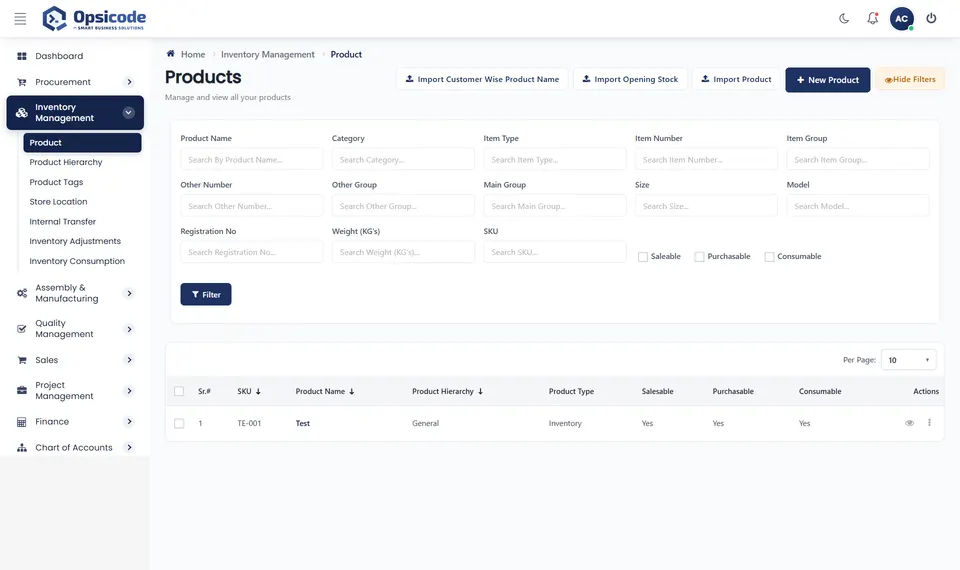
Products
Every product, findable in seconds
One product master for the whole company. Search by name, category, item number, group, size, model or SKU, and mark each product as saleable, purchasable or consumable.
- Search by name, category, item type, item number, group, size, model and SKU
- Saleable, purchasable and consumable flags per product
- Import products and opening stock from a file
- Product hierarchy and tags to keep large catalogues organised
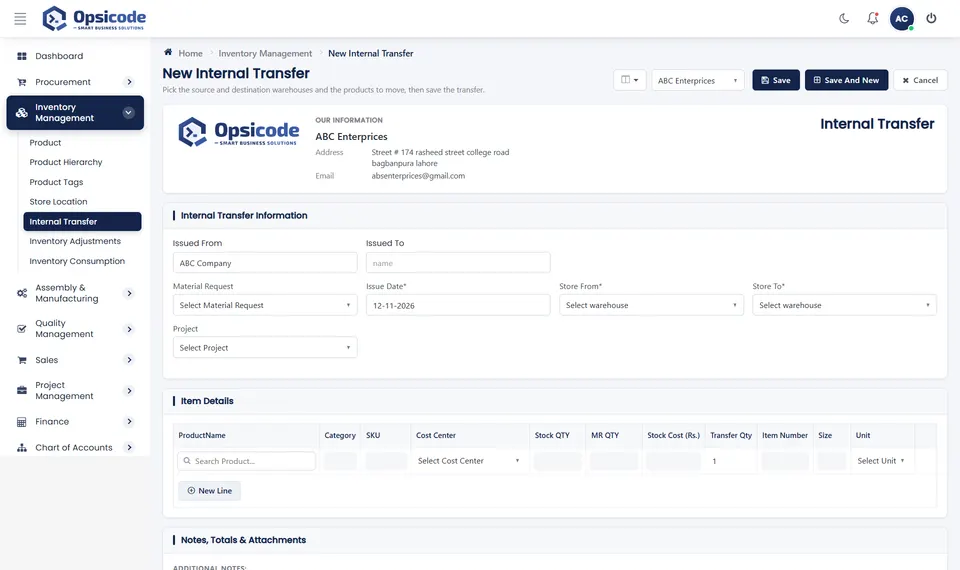
New Internal Transfer
Move stock between stores in one simple step
Pick the source and destination stores and the products to move, then save. You see the stock on hand and its cost while you enter the transfer quantity.
- Store from and store to, linked to a material request and project
- Stock quantity, requested quantity and stock cost shown on every line
- Cost center and unit per item
- Other charges, notes and file attachments on the transfer
Connected to the rest of your business
Every Opsicode ERP module shares the same live data. These are the modules it works with most closely.
See Inventory Management in a live demo
Book a free, no-obligation demo. Online, from anywhere in the world — we will walk you through the system using examples from your own industry.